

If you’re a data leader whose team already uses Power BI, you’ve probably encountered a common problem nearly every week. Someone asks a question that isn’t already a dashboard, which means the request ends up on your desk anyway.
The root of the problem is that Power BI handles the reports it was built for, but it wasn’t built to hold real-time data analytics conversations about your business.
In this article, we’ll compare Zenlytic vs Power BI based on the criteria that matter to your business, including fast and verifiable answers from your data.
TL;DR: Zenlytic vs. Power BI
Before the deep dive, here’s how the 2 platforms stack up against each other.
| Category | Zenlytic | Power BI |
| Primary Use Case | Conversational analytics agent that answers open-ended business questions | Dashboard and report building for structured, recurring metrics |
| AI Approach | AI-native, natural language is the main interface from day one | Copilot layered onto an existing dashboard platform |
| Semantic Layer | Automated, learns from real query history and usage | Manual, built and maintained inside Power BI datasets |
| Pricing Model | Transparent, per-seat, or usage-based | Tied to Microsoft Fabric capacity and per-user licensing |
| Setup Complexity | Connects directly to your warehouse in hours | Requires Fabric capacity, licensing, and a modeled dataset first |
| Best For | Teams that want verified answers without building dashboards first | Microsoft-centric orgs with a mature reporting practice |
| Not Ideal For | Teams that want static reports | Teams without dedicated BI or Power Platform resources |
What Is Zenlytic?
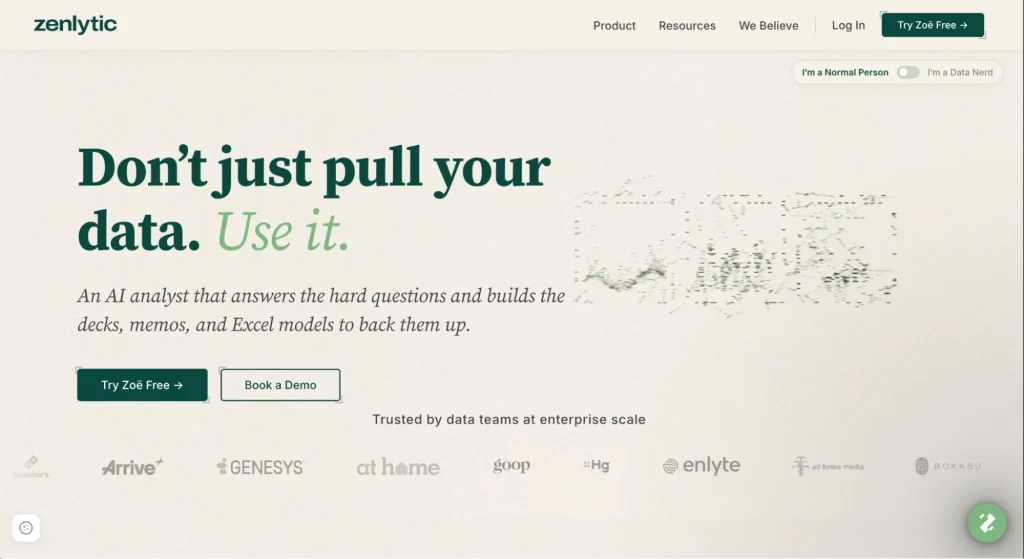
Zenlytic is an AI-powered analytics platform built around Zoë, an AI data analyst who answers data and business questions directly from your warehouse.
Your team doesn’t need to build a dashboard first. Zoë investigates a question, cites her sources, and delivers a verified answer in plain English.
Zenlytic serves data analysts and business users who want a conversational tool that answers the questions traditional BI dashboards were never built to answer.
Core Purpose
Zenlytic focuses on closing the space between a business question and a verified answer, without a modeling project standing between them. Zoë learns from how your team already works with data, without requiring you to build a semantic model or dashboards. She gets more useful the more your team asks her questions, creating and refreshing a relevant semantic model over time.
What Is Power BI?
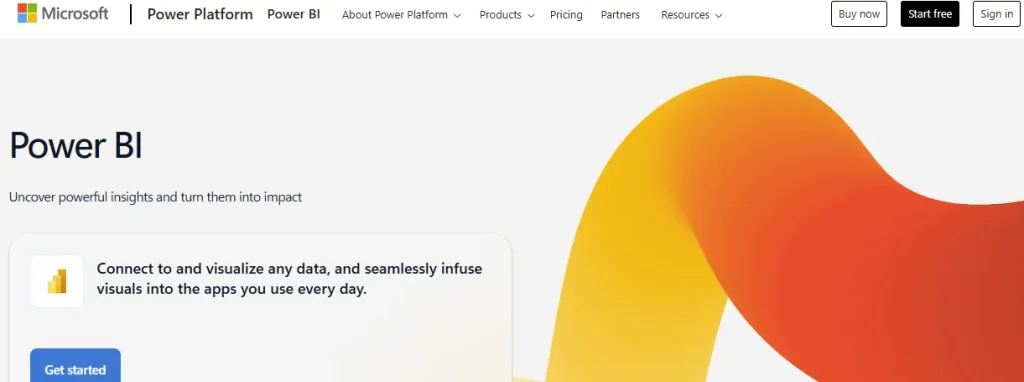
Power BI is Microsoft’s business intelligence platform, built for creating dashboards and reports from structured data.
Like Tableau, Power BI belongs in the legacy business intelligence category and has an AI layer bolted on top.
With Power BI, analysts model data inside Power BI datasets, then publish reports that business users (non-data team members) view and filter.
The platform serves organizations already invested in the Microsoft ecosystem, especially those running Fabric, Azure, or Microsoft 365 at scale.
Core Purpose
Power BI’s core purpose revolves around turning your organizational data into shareable, governed reports and dashboards at scale. Microsoft has added AI on top of Power BI through Copilot, but the platform’s foundation still depends on the semantic model your data team builds and maintains manually.
A Feature-by-Feature Comparison of Zenlytic vs. Power BI
Both platforms answer business questions fast, but the comparison changes once you look at specific capabilities. The following 4 areas separate the 2 clearly.
1. Natural Language Querying
Zoë treats natural language as the primary way in from your very first question. You ask a question in plain English the same way you’d ask a colleague. As a conversational analytics tool, Zoë writes the SQL for the query and gives a verifiable answer with traceable figures and logic.
Power BI’s Copilot also handles natural language, but it needs a Microsoft Fabric capacity and a well-documented semantic model before it produces reliable answers.
Microsoft is retiring the older Power BI Q&A feature entirely by December 2026, which makes Copilot readiness a requirement for any team that wants natural language in Power BI going forward.
2. Semantic Layer and Data Governance
When you use Zenlytic, you skip the months-long modeling work most platforms require. The semantic layer in Zenlytic builds itself as your team asks questions, picking up your specific business definitions from real questions.
The semantic layer lives inside the Clarity Engine, which maps every generated query back to a governed metric anyone on your team can read.
Power BI takes the opposite path. Your analysts build the semantic model manually inside a dataset, defining every measure, relationship, and hierarchy before Copilot or any report can use it well.
Depending on the size of your organization as well as data, you might have to choose between building one large Power BI semantic model or many smaller, but interconnected models. But this usually presents various challenges.
People building these models day to day describe the single vs many models situation plainly. As noted by Nwengbartender in a Reddit thread on Power BI semantic modeling:
“One big model has the benefits of the logic being in one place, so if there’s a change to sales logic, then you change it in one place rather than several, and easily missing one. However, it can be hard to navigate for less experienced users, requires tight governance, and sometimes struggles with performance. Domain-specific models have the benefit of being able to be more focused on the subject matter of that domain, be easier to navigate, and easier for users to understand. Downsides, though, it’s easier for the logic to drift apart in each model, for the same term to be reused but with different meanings, and for different parts of the organisation to be talking across each other as they’re seeing very similar numbers but coming to different conclusions.”
You don’t need this kind of upfront modeling work on the Zenlytic side because the platform builds the layer after you connect it to your warehouse and keeps updating it automatically as your team asks questions.
3. Warehouse Connectivity and Integration
Zenlytic connects directly to data warehouses such as Snowflake, BigQuery, Databricks, or Redshift. Zoë reads your schema, all your query history, and any existing semantic definitions the moment you connect her to your warehouse.
Power BI also connects to a wide range of sources, but data typically flows into a Power BI dataset, or Fabric’s OneLake, before Copilot or your reports can use it well. The extra workflow in Power BI works fine for teams already deep in the Microsoft data stack, but it adds a step if your team runs its warehouse elsewhere.
4. Visualization and Dashboard Capabilities
The visualization library in Power BI is deep and mature, having been built over more than a decade of dashboard development. If your team needs pixel-perfect charts, custom visuals, or highly specific report layouts, you’ll prefer Power BI. However, your team will have to build and style every element manually.
Zenlytic takes a different approach entirely.
Zoë delivers the answer first, in plain language and with a citation, before you ever build a chart. Through Artifacts, she can still generate an interactive dashboard when you need one, along with a presentation, spreadsheet, or written report, among other types.
Unlike a chart built once and left alone, a living artifact re-analyzes its own drivers every time it refreshes. Zenlytic frames this change as artifacts replacing legacy dashboards entirely.

Zenlytic vs. Power BI: Use Cases
The right tool often depends more on the specific job you need done rather than just the features. Here’s where each platform delivers when it comes to real use cases:
- Ad Hoc Business Questions: Zenlytic wins when someone asks a question that no dashboard was built to answer, especially one-off and follow-up questions for which you need a verifiable answer today.
- Board-Ready Reports: Power BI still wins when you need a polished, recurring report with exact formatting for departmental and executive leaders.
- Embedded Analytics At Scale: Power BI’s maturity and Microsoft ecosystem ties make it a strong pick for embedding reports into other applications.
- Cross-Team Self-Serve: As an AI analytics platform, Zenlytic wins when business users in different departments need direct answers without filing a ticket with the data team.
Most organizations end up moving to a self-serve analytics tool, which makes it easier to move toward answering questions in real-time as opposed to answers coming from a pre-built report.
How Zenlytic and Power BI Approach AI Differently
AI gets attached to nearly every analytics product now, but the approach underneath determines what that AI can actually do. Microsoft added Copilot on top of an existing dashboard platform, becoming one of the many types of conversational analytics software that now compete for your enterprise budget.
Instead of bolting AI on top of legacy BI, Zenlytic took a different route, building AI in business intelligence as the foundation from day one. Here’s how the difference manifests across different pillars:
- Minimal Setup Before Users See Real Value: Zoë indexes your team’s real query history from day one, which means she starts answering complex questions without months of manual modeling first.
- An Analyst You Can Question: Zoë investigates a question the way an analyst would, checking assumptions and following up on ambiguity before she answers.
- Answers You Can Verify: Zoë’s Citations traces every number back to its exact source table and calculation. Your team can check the math and logic behind any answer in seconds.
- Consistent Answers Every Time: Zoë’s Memories locks in a definition once someone confirms it, which means 2 people asking an identical question get identical answers every time.
- Plain Language Anyone Can Understand: The Clarity Engine decompiles every SQL query that Zoë generates into plain business terms, letting non-technical reviewers confirm an answer without reading code.
- A Real Deliverable Every Time: Artifacts turns a verified answer into a slide deck, memo, or Excel model automatically, cutting out the hours your team spends manually rebuilding numbers in PowerPoint.
Data professionals thinking through the legacy BI to AI data analytics change often come across a common prediction. RDurandt captures the prediction in a Reddit discussion on whether AI will replace business intelligence:
“Short answer, yes. I agree, the backend would become even more important. Data quality is non-negotiable when AI becomes a user. And dashboards would give up their place to AI agents as first-class citizens. The secret sauce would be the context of the data in the backend… Maintenance of such context models would ideally be automated.”
The pattern aligns with how Zoë already works. She answers first, and any dashboard she builds through Artifacts comes after that answer instead of before it.
Curious what an actual analyst-grade answer drawn from an automatically updated semantic model looks like?
See Zoë handle a real question using your own data.

Which Teams Get More Value from Zenlytic vs. Power BI
None of the 2 platforms works for every team the same way because each tool has a different approach, and different organizations have different data analytics needs. Here’s an honest breakdown of who benefits most from each tool:
- Lean Data Teams: If your team doesn’t have a dedicated BI engineer, you will get more benefit from Zenlytic. Zenlytic’s self-service analytics means business users stop routing every question through your data team.
- Microsoft-Native Organizations: Companies that use Power BI, Azure, and Microsoft 365 get real value from staying inside the Microsoft ecosystem, provided the team keeps investing in the modeling work Copilot requires to function optimally.
- Fast-Scaling Teams: Companies adding headcount faster than they can hire analysts get more value from Zenlytic. With Zenlytic, companies can ask more questions even if the number of data analysts is low, since business users can query data on their own.
- Regulated Industries: Financial services and healthcare organizations already running compliance workflows through Microsoft’s suite of tools get real value from keeping their business intelligence inside a boundary that their compliance team already trusts.
The pattern holds regardless of company size. The team with the most unanswered questions gets more from switching than the team with the biggest Power BI investment already.
How to Decide Between Zenlytic and Power BI
Every comparison eventually needs to turn into a decision, one that hinges on several honest questions. You must ask yourself and your team the following questions before you commit either way:
- Do You Have Modeling Time? If your team can dedicate weeks or months to building and maintaining a semantic model, Power BI becomes more reliable. If that time doesn’t exist, Zenlytic’s automated semantic layer removes the effort and the wait entirely.
- Do Business Users Need Access? If only your analysts work directly with your data, Power BI’s existing reports may already cover the need. If people in multiple departments keep asking analysts for one-off answers, that’s exactly what Zenlytic is built to handle.
- Do You Own Fabric Capacity? If your organization already pays for Microsoft Fabric or Power BI Premium, Copilot comes at no added infrastructure cost. If you don’t have that in place, you would do better with Zenlytic because the platform connects straight to your warehouse without requiring a bolt-on AI layer.
- Do You Maintain Many Reports? Teams with dozens of scheduled, recurring reports get real value from Power BI’s maturity and polish. Teams buried in one-off requests that never turn into a real report get more from Zenlytic’s approach, which is built around answering questions directly.
Most teams already know the answer to at least three of these questions. To have complete clarity, you can always have a real conversation with each vendor before you decide.

Frequently Asked Questions (FAQs)
Here are quick answers to the questions that come up most when teams compare the 2 platforms.
Can Non-Technical Users Get Answers from Zenlytic Without SQL?
Yes, non-technical users can get answers from Zenlytic without SQL. Zoë handles the query writing and citation behind the scenes, which means anyone can type a question in plain English and get a verified answer back.
How Difficult Is It to Switch from Power BI to Zenlytic?
Switching from Power BI to Zenlytic takes less effort than most teams expect.
Zoë connects directly to your existing warehouse and reads your current schema, your query history, and any semantic definitions you already have. As such, she builds useful context and enables you to start asking questions in under an hour, well ahead of the weeks a full Power BI migration usually takes.
Does Zenlytic Work with Existing Data Warehouse Setups?
Zenlytic works with existing data warehouse setups, including Snowflake, BigQuery, Databricks, and Redshift, among others. You connect your current warehouse directly. Zoë reads the schema you already have and never asks you to migrate data anywhere new.
How Do Zenlytic and Power BI Handle Data Security and Compliance?
Zenlytic and Power BI both handle data security and compliance seriously, though the approach differs.
Zenlytic stays warehouse-first, meaning your governance, row-level security, and permissions live in Snowflake, BigQuery, or wherever your data already sits.
Power BI manages security through Microsoft’s own tenant and Fabric permission model instead.
What Level of Support Does Zenlytic Offer Compared to Power BI?
Zenlytic offers direct support from a team that actually takes its time to understand your specific setup, compared to Power BI’s tiered support model that’s built around Microsoft’s much larger customer base.
Enterprise Power BI customers typically get strong support, though it usually comes through broader Microsoft channels. Zenlytic assigns a team dedicated only to your account.
Conclusion
The Zenlytic vs Power BI debate really splits into 2 different scenarios.
Power BI still leads if you want polished, recurring reports inside a Microsoft-heavy technology stack.
Zenlytic leads once your team needs verified answers to questions and follow-ups; no report was built to handle, delivered without a modeling project standing in the way first. Zenlytic acts as a conversational, self-serve analytics agent built to deliver verifiable answers from your own data, connecting to your warehouse directly and answering in plain language from day one.
Ready to trade static reports for real answers?