

If you are a VP of Data or a Director of Analytics with a shortlist of AI platforms, you’ve watched your team waste hours on ad-hoc tickets from business users while the questions that actually matter go unanswered.
Zenlytic and TextQL both promise to close that gap, but in different ways, which means you need to figure out which tool delivers trusted answers with real depth at the enterprise level.
In this article, we’ll compare Zenlytic vs TextQL on architecture, setup, pricing, and fit to help you pick the right one for your data stack.
TL;DR: Zenlytic vs. TextQL
Both platforms fall under the data analytics agents category, but they differ in several ways.
| Category | Feature | Zenlytic | TextQL |
| Trust and Explainability | Transparent reasoning | Full explanations with Citations on every metric | Thread-based reasoning through Ana’s responses |
| Data lineage | Any number traces back to the warehouse | Limited | |
| Consistent answers | Memories lock definitions for every user | Depends on model behavior | |
| AI Capabilities | Natural language queries | Very strong (Zoë) | Very strong (Ana) |
| Multi-step analysis | Yes | Yes | |
| Output formats | Dashboards + Artifacts (live .pptx, .docx, .xlsx) | Chat + Playbooks + HTML reports | |
| Setup and Onboarding | Semantic model | Clarity Engine (auto-built from warehouse, governed in Git) | Ontology (manually configured knowledge graph) |
| Time to first answer | Under 1 hour with Patterns | Weeks to months | |
| Engineering overhead | Minimal | Forward-deployed engineers often required | |
| Enterprise Readiness | Compliance | SOC 2 Type II, HIPAA, GDPR | SOC 2, HIPAA |
| Deployment | Cloud, Virtual Private Cloud (VPC) | Cloud, VPC, on-prem | |
| BI layer | Direct warehouse replaces legacy dashboards | Passthrough to Tableau, Looker, Power BI | |
| Cost | Pricing model | Seat-based; contact sales | Consumption-based (ACUs); unlimited seats on Team and Enterprise plans |
What Is Zenlytic and How It Works
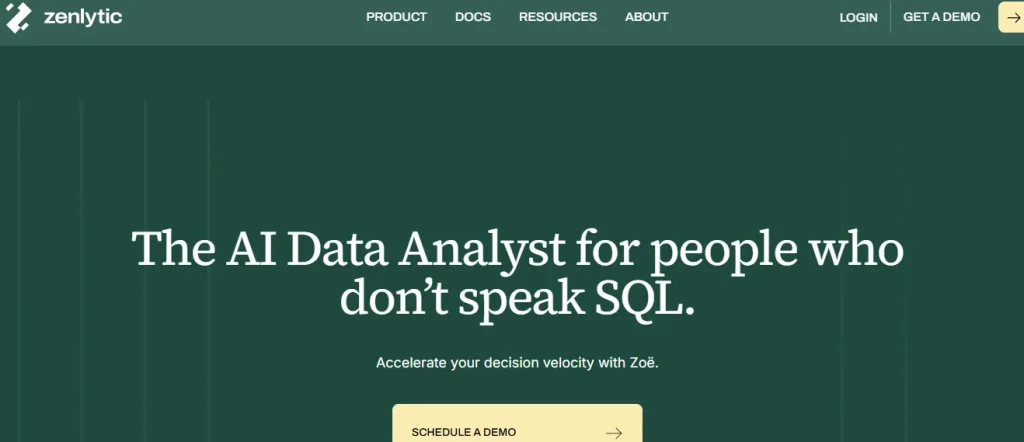
Zenlytic is an analytics agent platform where Zoë, the company’s AI data analyst, gives your entire team direct access to warehouse data through plain English.
Zoë reads your schema, learns from your query history, and builds a governed semantic layer fortified by the Clarity Engine.
Core Features of Zenlytic
Zoë’s capabilities tie back to the following core trust pillars.
- Fast Onboarding Through Patterns: You connect your warehouse and Zoë reads your schema through Patterns. You’ll have your first validated answer in under an hour.
- Full Data Lineage Through Citations: Every number comes with its source tables, filters, and KPIs. Anyone can check a figure and trace it to the warehouse.
- Consistent Answers Through Memories: Once you correct Zoë or confirm a metric, she remembers it. Two or more users who ask the same question always get the same answer.
- Governed Flexibility Through the Clarity Engine: Zoë maps every query to your governed data model, giving business users a way to verify answers in plain language instead of raw SQL.
- Finished Deliverables Through Artifacts: Zoë produces refreshable PowerPoint decks, Excel models, and Word reports that stay connected to live data.
Try Zoë with your own data today.
Use Cases for Zenlytic
Matt Griffiths, CTO of Stanley Black & Decker, put it directly: “Only Zenlytic can answer the questions that dashboards can’t.” Here are some concrete ways different teams put Zoë to work:
- Tariff and Margin Scenario Tests: Stanley Black & Decker used Zenlytic to model the effects of new tariffs on product margins before competitors could react, which helped the company avoid the layoffs their peers had to undergo later that summer.
- Proactive Anomaly Alerts for Retail and Manufacturing: Zoë can show you disruptions in your supply chain or drops in revenue even before your teams know they exist, which means you catch margin erosion early enough to act on it.
- Customer and Product Deep Dives for Retail and SaaS: Zoë answers multi-step questions about why churn spiked or which product lines drove a revenue change, giving your team, in minutes, what an analyst would take days to produce.
What Is TextQL and How It Works

TextQL is an agentic analytics platform with an AI agent called Ana that translates natural language questions into SQL and auto-generates dashboards.
The platform targets large enterprises with complex, multi-source data environments.
TextQL uses an ontology-based knowledge graph to map warehouse content into business-friendly terms.
Core Features of TextQL
Let’s look at what the platform offers.
- Ontology Builder: TextQL constructs a knowledge graph that maps your warehouse into business terms. Your team configures objects, attributes, and relationships manually.
- Multi-Surface Delivery: Ana answers questions through Slack, email, and a web interface.
- BI Passthrough: TextQL connects to Tableau, Looker, and Power BI, letting you layer AI on top of your current dashboards.
Use Cases for TextQL
TextQL targets enterprises in healthcare, financial services, and manufacturing, where data lives in dozens of fragmented systems. Your team can use Ana in various concrete ways, such as:
- Cross-Source Data Merges: Ana harmonizes records from hundreds of sources into one unified view for consistent enterprise reporting.
- Fraud and Risk Alerts for Financial Services: Ana scans transaction data from multiple banking systems to flag anomalies, helping risk teams act on suspicious patterns faster than manual review allows.
- Clinical and Operational Insights for Healthcare: Ana merges patient, billing, and care records from fragmented hospital systems to help clinical teams track population health trends and optimize care delivery workflows.
Key Differences Between Zenlytic and TextQL
Among today’s AI analytics tools, architecture, setup, and trust models vary widely. These two platforms vary across the following key dimensions.
1. Semantic Layer vs. Ontology Approach
Zenlytic’s Clarity Engine gives the language model maximum flexibility while keeping clear governance through an open context store.
All context lives in Git, which means it syncs with your existing tools and processes. You never face lock-in to Zenlytic’s context specifically.
Zoë can also edit her own semantic content, which dramatically reduces both onboarding time and the ongoing maintenance burden your data team would otherwise carry.
TextQL takes an ontology-based approach where your team manually defines objects and relationships in a proprietary knowledge graph. The problem is that the format can create vendor lock-in, which often proves difficult and labor-intensive when you need to migrate.
Data engineers on Reddit echo this concern about proprietary vendor formats. In a recent r/dataengineering thread on painful data migration projects, Datavine, who has completed over 70 enterprise data projects, put it bluntly:
“I do custom migrations between different proprietary software vendors for a living for government agencies, universities, non-profits, hospitals, and cities. I’ve completed over 70 customers data projects (often 1-3+ systems per project) averaging between 6 months and 18 months a project with some spanning multiple years. They’re vastly underestimated and require dedicated resources, which should include a project manager, business stakeholders, and engineer(s).”
2. Time to Value and Setup Effort
The real time-to-value advantage lies in Zoë’s self-learning engine.
After you connect your warehouse, Zoë learns from conversations, builds and maintains her own context layer, and independently matches your existing reports.
Your data team doesn’t have to curate or maintain the semantic model manually, because the agent handles that on her own.
TextQL’s ontology requires more upfront effort. The company often sends forward-deployed engineers, and most rollouts take weeks to months.
3. Explainability and Citations
Zenlytic combines 2 distinct trust mechanisms. The first is citations. Every answer Zoë returns in the chat comes with its source tables, filters, and KPIs so your team can trace any number back to the warehouse.
The second is a verification system. You get governed columns that show green check marks to confirm they’ve been validated, and new ideas or concepts that Zoë introduces follow a clear promotion path before they become part of your trusted model.
TextQL shows reasoning through Ana’s threaded responses. However, you don’t get the structured lineage that Zenlytic provides.
4. Interface and Output Formats
Zenlytic delivers dashboards, a conversational chat interface, Artifacts (.pptx, .docx, .xlsx, and more), HTML reports, downloadable files, and proactive agents. All these are unified by the same context system.
Every output refreshes with live warehouse data, and you can schedule it to arrive straight in your inbox. The real-time refreshing system means all your board decks, anomaly reports, ad-hoc revenue questions, and other entities pull data from the same governed source.
TextQL leans chat-first with Playbooks, HTML reports, and downloadable files. If your team members want a dashboard view alongside their AI agent, they’ll find Zenlytic’s unified approach more complete.
You have to deal with the trust gap between AI output and human confidence, which shows up everywhere, including analytics. Reddit user Notgreat captures the core issue in a thread on AI skepticism:
“You can also have a conversation with an LLM and get something that looks like reasoning. Except it’s 100% after-the-fact explanations based on that code’s statistical similarity to other code, rather than something that can correctly calibrate your trust. But it can provide answers to incorrectly calibrate from!”
Zenlytic uses Citations and Artifacts to solve the skepticism problem for your business users. You can see the full lineage and source tables for every number, and the output arrives in a format your CFO already trusts.
TextQL uses a chat-first model that puts the burden on the person reading the results to follow Ana’s threaded reasoning, which, as Notgreat notes, can feel like an explanation without actually being verifiable proof.
5. Warehouse and BI Tool Integrations
Both platforms connect to BigQuery, Redshift, Databricks, and Snowflake. Zenlytic also supports Postgres, MySQL, and other data-related entity integrations.
Through MCP (Model Context Protocol), Zenlytic connects to a wide range of additional data context sources as well, giving your team a broader foundation for analysis.
Such sources include tools like Salesforce, Google Drive, Slack, Jira, and other business applications, which means Zoë can pull context from your CRM records, project boards, or team conversations alongside your warehouse data.
TextQL acts as a passthrough to Tableau, Looker, and Power BI. Zenlytic replaces these legacy tools with a unified analytics agent.
6. Governance, Security, and Compliance
Zenlytic provides SOC 2 Type II, HIPAA, and GDPR compliance with role-based access and agent-level permissions. You also get in-VPC (Virtual Private Cloud) deployment options.
TextQL also has SOC 2 and HIPAA certifications and offers VPC and on-premises deployment for regulated industries such as healthcare and finance.

Cost Breakdown for Zenlytic and TextQL
When you’re evaluating the 2 AI analysis tools, it’s important to note that both vendors offer enterprise contracts with limited published pricing.
Zenlytic Pricing Model
Zenlytic uses seat-based pricing in addition to query-based pricing and platform fees. You’ll need a sales conversation for an exact quote, but the platform offers a free trial where you connect your warehouse and test Zoë directly.
TextQL Pricing Model
TextQL uses a consumption-based model built on ACUs (Analytical Compute Units). The Team tier and above include unlimited seats.
Total Cost of Ownership Beyond List Price
With TextQL, you have to factor in ontology configuration time, professional services for forward-deployed engineers, and warehouse compute that scales with query volume.
With Zenlytic, the faster setup through Patterns reduces the initial investment, and the governed semantic layer means less maintenance over time.
It’s important to note that the consumption-based pricing can make monthly spend harder to predict as query volume rises when using either tool.
Pros and Cons of Zenlytic and TextQL
Here are the advantages and disadvantages of each platform.
Pros of Zenlytic
- Trust at Scale: The Clarity Engine enforces governed definitions on every answer, which means your business users can trust the answers more.
- Sub-Hour Setup: Patterns gets you from warehouse to first answer in under 60 minutes.
- Finished Deliverables: Artifacts produce branded .pptx, .docx, and .xlsx files that update in real-time, keeping your data and answers up-to-date at any given time.
- Full Lineage: Citations lets any user verify any metric without SQL.
Cons of Zenlytic
- Cloud-Only Architecture: Zenlytic runs entirely in the cloud with no on-premises option, which may limit its fit for organizations that require infrastructure within their own environment.
- Pricing Requires a Conversation: Exact pricing isn’t available on the website.
Pros of TextQL
- Enterprise Compliance: HIPAA, SOC 2, VPC, and on-prem options fit regulated environments.
- Business Intelligence Passthrough: Organizations that have invested heavily in Tableau, Looker, or Power BI investments can layer Ana on top.
- Unlimited Seats: Consumption-based pricing on the Team and Enterprise plans is appealing to companies planning for broad rollouts.
Cons of TextQL
- Ontology Setup Overhead: Manual knowledge graph configuration adds weeks or months before your users see real value.
- Vendor Lock-In Risk: The proprietary ontology format can prove difficult to migrate.
- Unpredictable Costs: ACU pricing makes monthly budgets harder to forecast.

How to Choose Between Zenlytic and TextQL
The right platform depends on where your team stands today. Whether you’re a CDO or a Head of Data, the following considerations are important.
Match the Tool to Your Existing BI Investment
If you’re ready to move past legacy tools, Zenlytic provides a self-service analytics experience where a single agent handles questions, verification, and deliverables.
If you want more than a layer on top of existing dashboards, Zenlytic’s self-learning capabilities and trust features are the real differentiators.
Zoë learns from every conversation, builds her own governed context, and verifies every answer with citations and green-check validation.
You’re choosing an agent that gets smarter over time rather than one that resurfaces answers your dashboards already have.
Audit Your Data Modeling Maturity
If you have a defined dbt or LookML layer, either platform works. The difference becomes clear when you lack a mature semantic layer.
Zenlytic’s Patterns and Clarity Engine removes the modeling barrier entirely. With TextQL, you’ll invest in ontology configuration first.
Weigh Setup Time Against Time to First Insight
Every week your organization spends building an ontology system is a week you’re still drowning in ad-hoc requests. Zenlytic customers go from warehouse to first answer in under an hour. TextQL deployments often run weeks to months for enterprise analytics use cases.
If you’re a Director of Analytics with 200 unanswered requests, the time to value gap decides whether your team gets answers this month or next quarter.

Frequently Asked Questions (FAQs)
Here are answers to questions you may have when comparing the 2 platforms.
Does TextQL Replace BI Tools Like Tableau or Looker?
TextQL doesn’t replace Tableau or Looker.
The platform acts as a passthrough layer on top of your existing dashboards and adds an AI agent for natural language questions.
Your current reports stay in place while Ana supplements them through Slack, email, or the web interface.
Can Zenlytic Work Without an Existing Semantic Layer?
Zenlytic can work without an existing semantic layer. Zoë’s Patterns feature reads your warehouse schema and query history, then builds the context layer through the Clarity Engine on its own.
Teams without dbt or LookML can get validated answers within their first day.
Is Text to SQL the Same as an AI Data Analyst?
Text to SQL and a full AI data analyst handle very different scopes. Text to SQL translates a question into a single query.
A complete AI data insights tool like Zoë runs multi-step analysis, cites every metric, remembers corrections, and produces deliverables like slide decks.
Which Platform Is Better for Non-Technical Business Users?
Both platforms accept plain English questions, which is important for non-technical teams or business users, but Zenlytic is better.
Zenlytic’s Citations let anyone verify an answer, while TextQL requires more effort to trace reasoning through Ana’s threads. Your marketing lead or ops manager will find Zenlytic’s model faster to trust.
How Long Does It Take to Deploy Zenlytic vs. TextQL?
It takes less than an hour to deploy Zenlytic, from the time you connect your warehouse to the time you receive your first validated answer. Zoë’s self-learning engine then matches your existing reports without you in the loop, which means your team sees value on day one, and ongoing maintenance stays minimal.
TextQL deployments run weeks to months because the ontology requires manual configuration before your broader team can ask questions.
Your timeline depends on the complexity of your data environment.
Conclusion
The Zenlytic vs TextQL debate is a question about how you want your team to interact with data and how fast you need answers.
TextQL fits organizations that want to keep Tableau, Looker, or Power BI and layer an AI agent on top.
Zenlytic fits teams that are ready to replace legacy tools with an analytics agent that builds its own governed context, cites every answer, and delivers finished reports that both data and non-data team members can trust.
Your team can connect a warehouse and get Zoë’s first cited, governed answer in under an hour, with no ontology to build and no engineers to embed.
Ask Zoë your first question today.